Sampling prior
The process begins with parameterization of the model. After that, the next step is to evaluate the coverage of that prior, i.e., how are the responses of the ensemble compared with the observations. If the prior response is not able to cover the observations, there might be a problem with the parameterization.
To evaluate this we can first create a new experiment, and sample the prior:
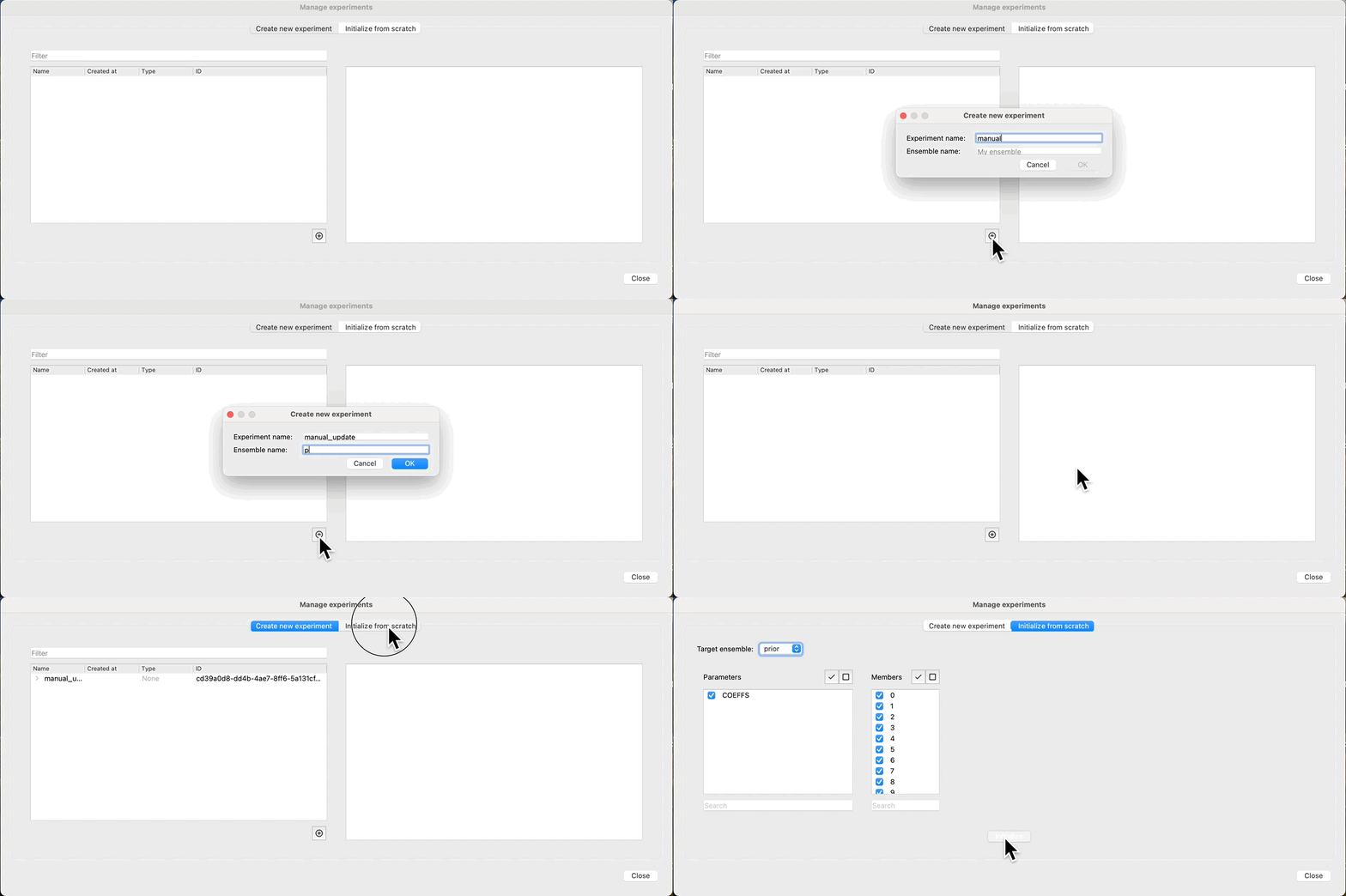
Evaluate prior
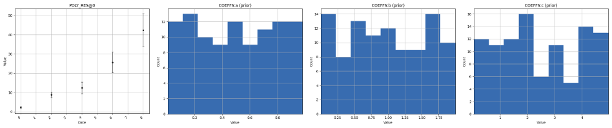
At this point, we have sampled parameters for all our realizations, and we can see how the distributions look by clicking: Create plot. We observe that the response (POLY_RES@0), is empty, as we have not yet evaluated the prior, just sampled the parameters. Because we have a rather limited ensemble size (100), we observe that even though the parameters have a uniform distribution, there is a bias in the prior. Increasing the number of realizations will improve this, but comes at a cost of increased run time for evaluating the ensemble.
Run forward model
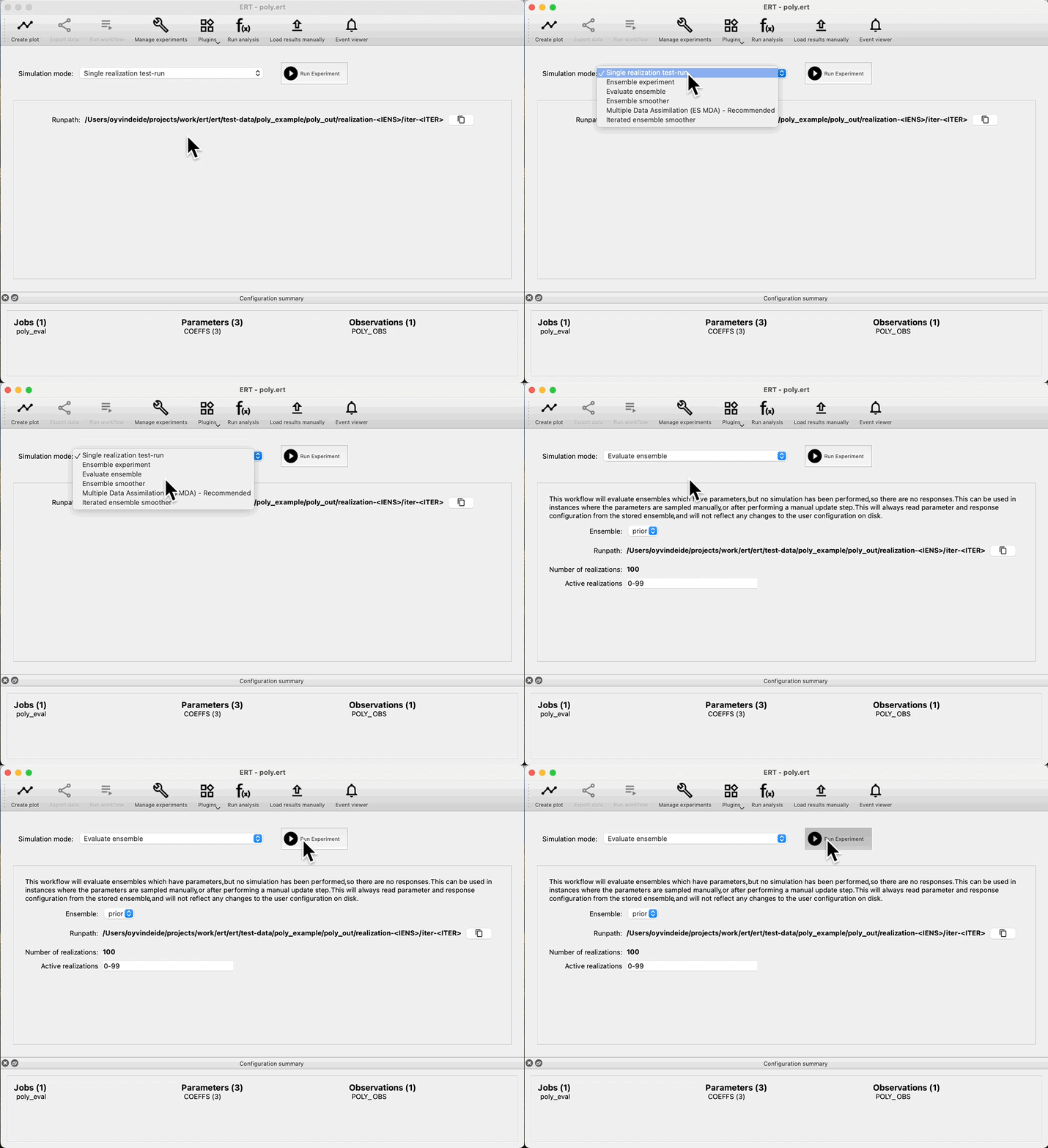
If we are happy with the draw of the prior, we can run the forward model, and get the responses from the prior. Navigate to: Evaluate ensemble, and observe that we can see: Prior in the Ensemble drop down. Press: Run Experiment to evaluate the prior:
Check coverage
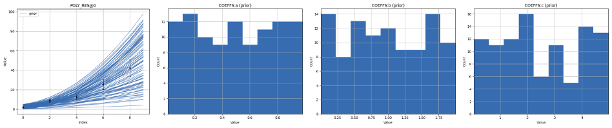
After evaluating the prior, we can look at the result in Create plot. We check that there is good coverage in the prior, with ensembles both inside and outside the observation uncertainty, as well as higher and lower values than the observations.
We also observe that the parameters are unchanged, as in the last step we only ran there forward model, we did not draw a new prior.
Run data assimilation
Because we do not have any ensembles with parameters and no responses, the Ensemble drop down in Evaluate ensemble is now empty. To start data assimilation, navigate to the Multiple Data Assimilation experiment mode, and check: Select prior ensemble, then select a prior ensemble in the Run from prior ensemble dropdown and start the experiment. This means that we do not have to rerun the prior ensemble, and we are able to evaluate coverage of the prior ensemble without running multiple iterations of ES-MDA first.

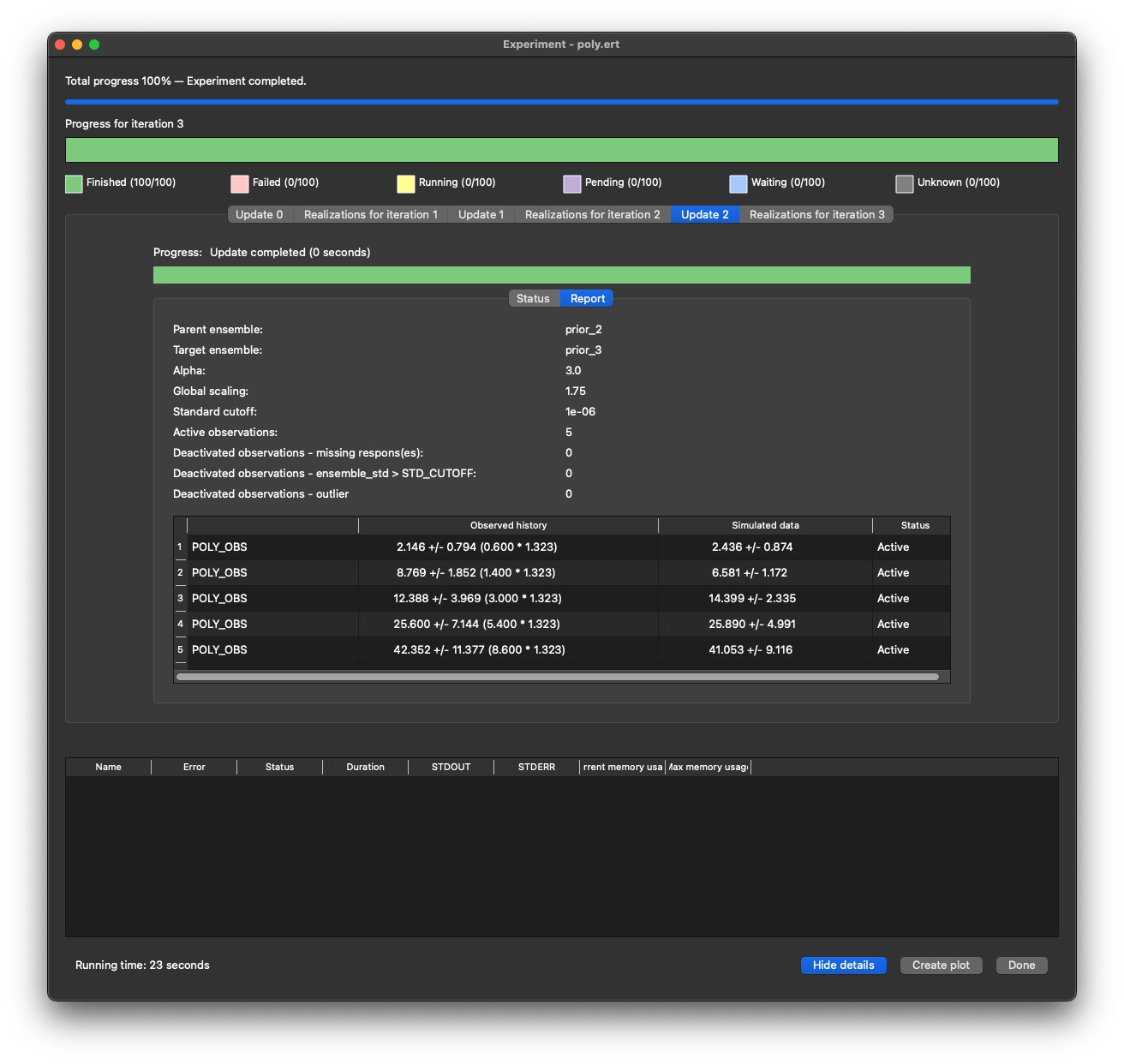
While running, we get reports showing how the observations are matching the responses, their status as well as any scaling factors used in the update.
Revisit the update report later
The update reports are kept after the experiment has finished. Open Manage experiments and select the ensemble produced by the update (the posterior). If a report was recorded, its Update <iteration> tab shows the same tables as the running experiment did. The numbering follows the running experiment, so the update that turned iter-0 into iter-1 is Update 0 and is found on iter-1. A heading identifies the input and output iterations. The initial prior has no update tab; the final posterior shows the update that produced it.
Failed updates are also shown on their target ensemble, with their error message and whatever tables were produced before the failure. Existing stored reports remain available without rerunning the experiment.
Parameter localizations
The Parameter Localizations table in the ES-MDA settings summarizes parameter configurations by localization strategy and parameter type. For example, 10 GenKW configurations using adaptive localization appear as:
strategy |
parameter type |
count |
|---|---|---|
Adaptive |
GenKW |
10 |
Each Field or Surface counts as one configuration, regardless of its number
of grid cells. Parameters excluded from updating appear as
Non-updatable. If there are no parameter configurations, the table
contains only column headers.
By default, the summary reflects the current configuration, including parameters added or overridden by a design matrix. When you select a prior ensemble, it instead reflects the parameter configurations stored with that ensemble’s experiment.
The table is read-only. It refreshes when you save changes in Update settings, change the prior ensemble selection, or return to the ES-MDA settings from another experiment type.